Leave an honest review — without exposing yourself
If one of our books helped you, an honest Amazon review is the single most useful thing you can do for us. We know what stops most of you: a review on a hotwife or cuckold book puts your real name next to it. Forever. Where coworkers, family, and Amazon's recommendation algorithm can find it.
Amazon lets you fix that in about 30 seconds. Here's how.
The 30-second walkthrough
Pick a pen name
Anything works. JK in KC, Bookwormhusband, QuietExplorer42 — something you'd recognize and nobody else would. It doesn't have to relate to the book or the lifestyle. You can change it again later.
Change your Amazon display name
- Sign in and go to amazon.com/profile.
- Click Edit your public profile.
- Replace Your public name with your pen name.
- Click Save.
Leave the review
A few sentences is enough. What made it useful, who you'd recommend it to, what surprised you, what you'd change. Honest is the only thing we ask — good, bad, or in between.
Step 2 in pictures
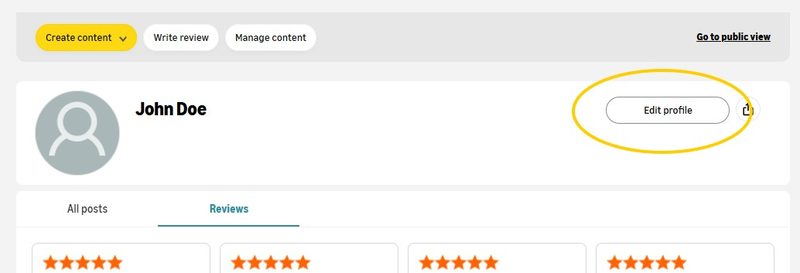
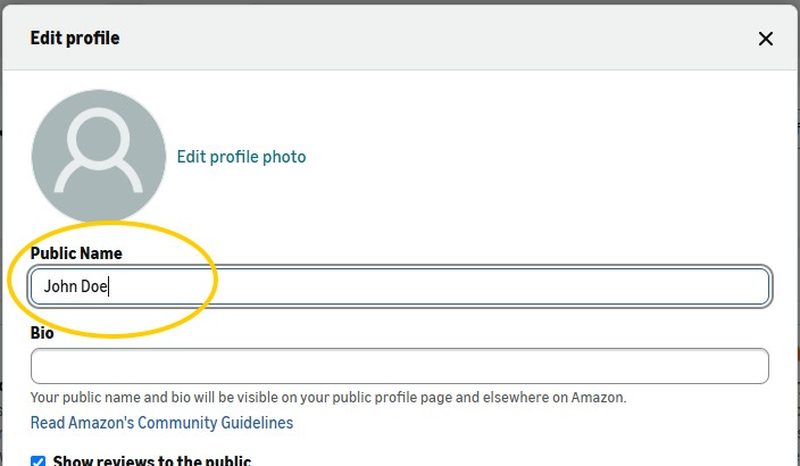
Your real name is no longer attached to any review — past, present, or future. Your Verified Purchase badge stays. Your order history stays private (Amazon doesn't display that publicly anyway). If you want to be extra cautious, the same Amazon profile screen also lets you remove your photo and bio.
Why this is worth 30 seconds
Books in this niche don't get reviewed by the New York Times. They don't get airtime on the podcasts your parents listen to. The only signal Amazon's algorithm has that a book is worth showing to the next curious couple is how its existing buyers responded to it.
For a typical mainstream book, that's fine — readers leave reviews freely. For ours, almost nobody does. The result is that great books in this space stay invisible to the couples who'd most benefit from finding them.
You don't have to put your real name on anything. You just have to know where the setting lives.
Ready when you are
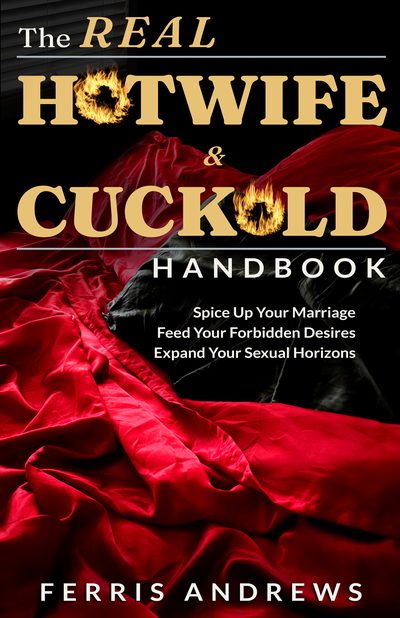
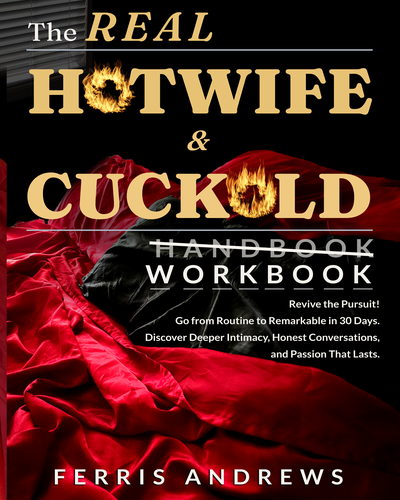
Tap whichever book you read. You'll land on the Amazon review form for it.
Common worries
Will Amazon link the pen name back to my real account if someone goes digging?
What if I already left reviews under my real name?
Will my friends or family see the books I've bought?
Can I change the pen name later?
Will Amazon flag a review left under a pen name?
What can I write in the review?
Other ways to support the work
Not every reader is going to want to leave an Amazon review even with a pen name. That's a reasonable call. A few options that don't involve your reviewer profile at all:
Talk about it on the Forums
Register under whatever handle you want and start a thread. Community discussion in this niche compounds.
Visit the Sidekick Forums →Recommend it
Tell a friend or partner who might find it useful. Word of mouth in this niche moves more copies than ad spend.
Send us a private testimonial
We'll attribute it however you're comfortable — first name and city, a pen name, “a reader in Texas,” whatever you choose.
Send a private testimonial →Whatever you choose, thank you. Self-publishing in this niche only works because of readers willing to push back against the silence around it.
We ask for honest reviews only. Amazon's review policies prohibit incentivized or biased review requests, and we comply with them.